 MeeTube
Guide
The Equalizer and Sound Settings in MeeTube
How the MeeTube equalizer works, presets versus your own bands, volume up to 200 percent, spatial sound, and the settings that shape how videos and songs sound.
By Santiago Vargas, Video App Reviewer and APK Tester
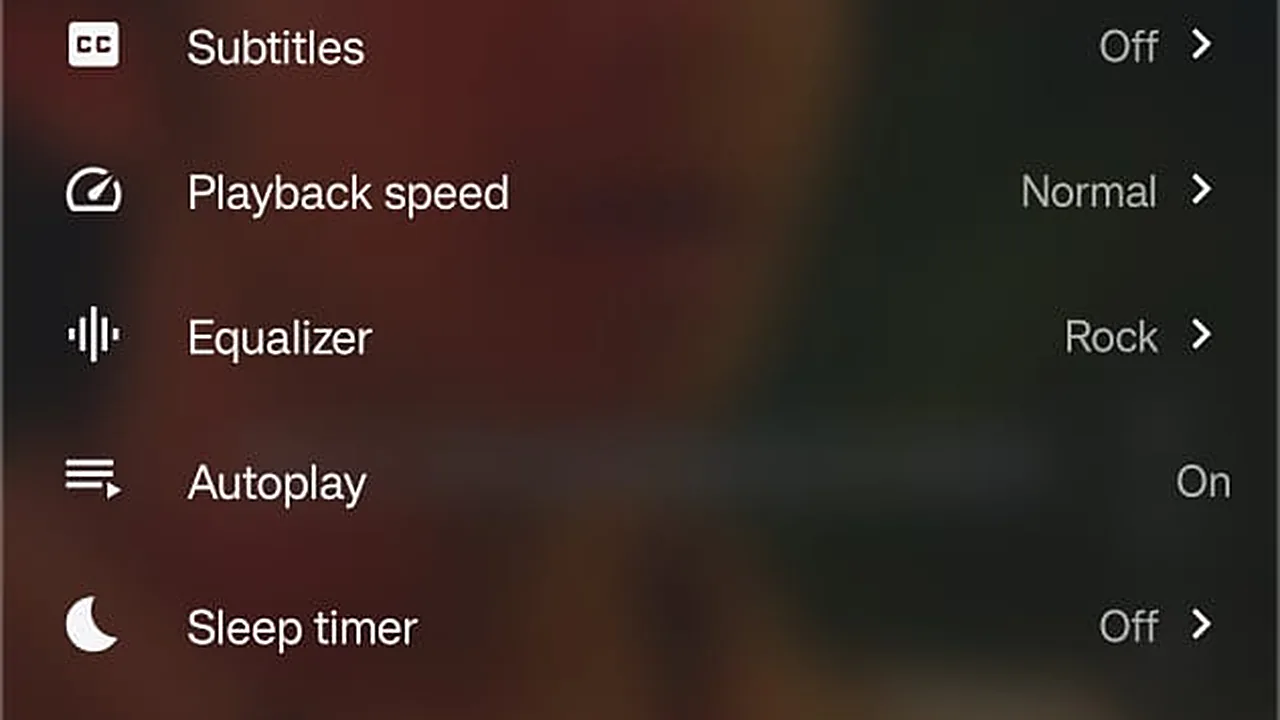
The Equalizer in the Player Menu
The equalizer in MeeTube APK sits in the player menu, with presets or your own bands applied live. Changing a band while the video plays changes the sound at once, so you can tune by ear instead of guessing, saving, and replaying.
Start from a preset that matches the content: a music preset for songs, a speech preset for talk videos. Presets are starting points, not rules, and a small change to one band is usually more useful than a dramatic curve.
Volume, Original Audio, and Boost
Volume runs up to 200 percent through the volume boost in the player menu, which helps quiet videos and quiet recordings. Original audio is a separate switch: it plays the sound as uploaded, without the app processing, which is the right comparison when a tune sounds wrong.
If a video sounds distorted, turn the boost down before touching the equalizer. Distortion usually means the volume stage is overloaded, and no equalizer curve fixes a signal that is already clipping.
Spatial Sound and Headphone Correction
MeeTune adds spatial sound built on a real head model, a Cinema level with deeper bass, and headphone correction, with crossfade between songs. These are music-side settings, and they belong to the MeeTune music side rather than to videos, so changing them will not alter how a tutorial sounds. In the car, the same sound settings travel with MeeTune, as Android Auto in MeeTube shows.
Music keeps its own equalizer, apart from video, so a bass-heavy music setting never leaks into a spoken video. Tune each side once, with a familiar song and a familiar voice, and leave both alone afterwards.
Frequently Asked Questions
Answers to the questions readers ask before downloading MeeTube.
Where is the equalizer?
In the player menu, with presets or your own bands applied live while the video or song plays.
How loud can MeeTube volume go?
Up to 200 percent through the volume boost in the player menu. Turn it down if the sound distorts.
Does the music equalizer affect videos?
No. Music keeps its own equalizer, apart from video, so each side keeps its own tuning.